Destination ID Tool
This tool is made to replace specific words, strings and IDs inside your Minecraft server folder.
We especially recommend using it when switching from Naruto Destination version 0.8 to 0.9.
Destination ID Tool 1.0.0
Download the current EXE and then follow the guide on this page.
Download EXEGuide
Please follow these steps in order to make sure everything is migrated properly.
Save your CustomNPCs
If you use CustomNPCs, save all NPCs that drop items as a server-side clone.
Create a backup
Create a new backup of your server and download the full server folder from your host.
Run the tool
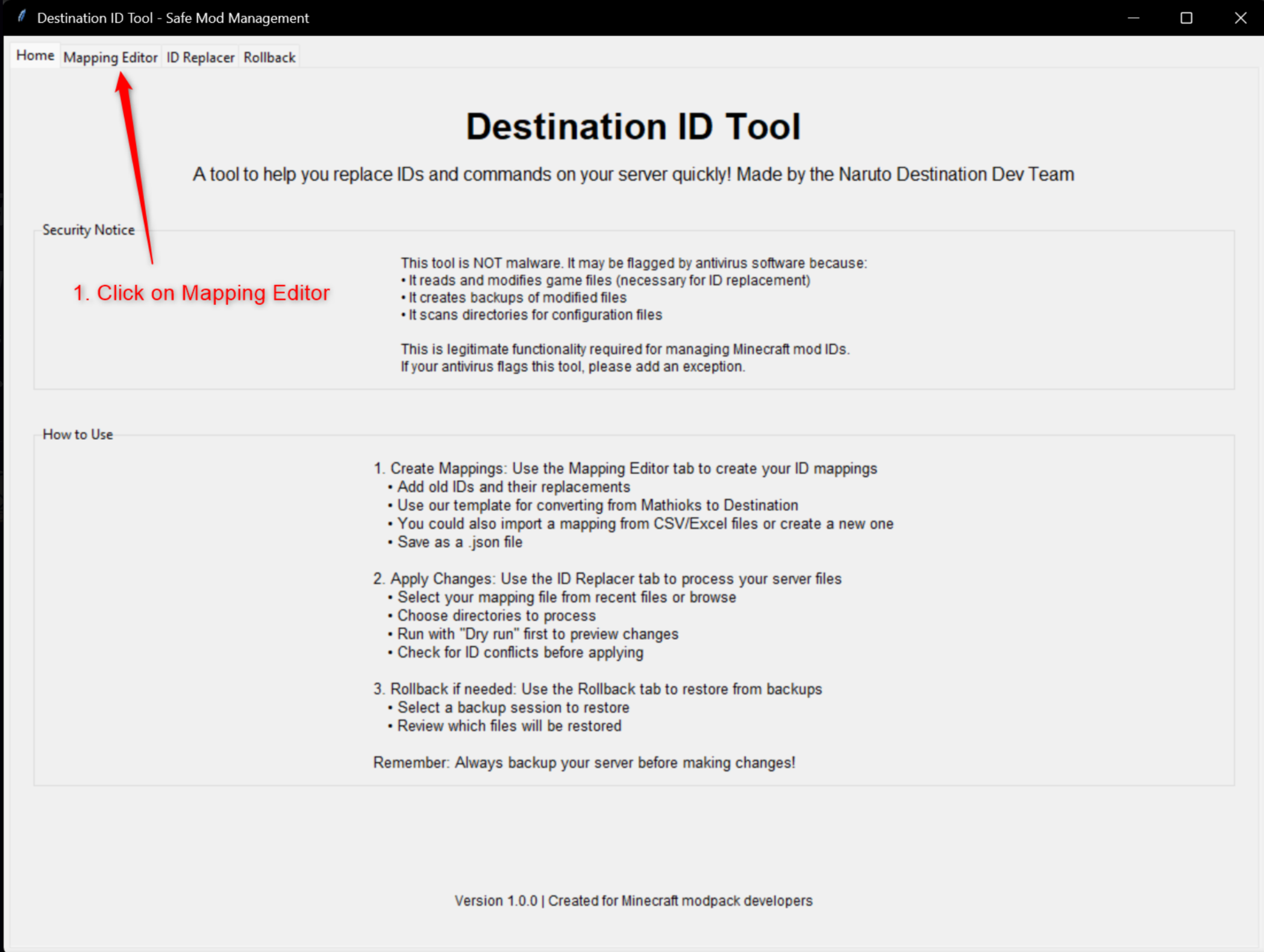
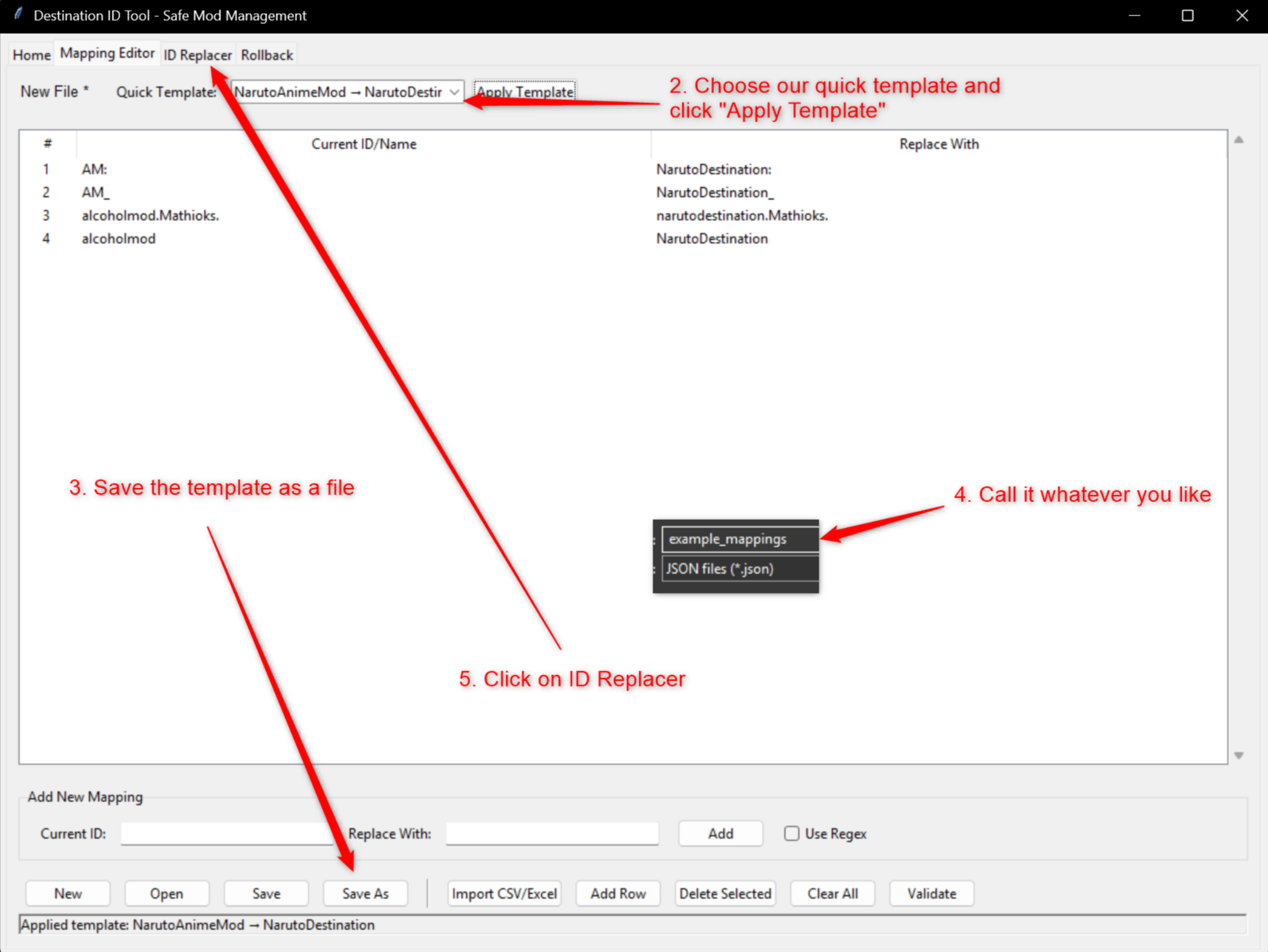
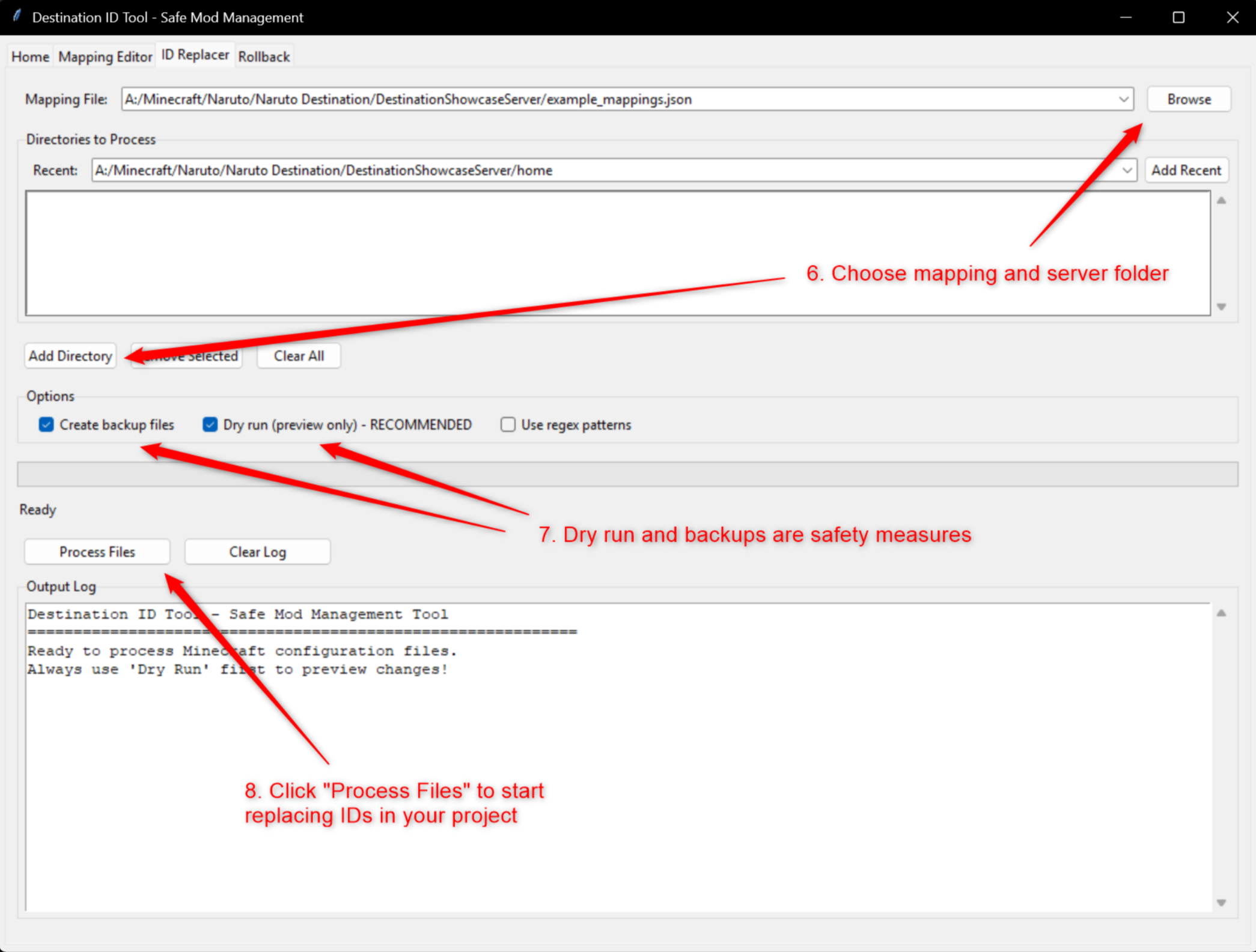
Run the tool on the downloaded folder and follow the tutorial or explanation shown above.
Upload the folder again
Upload the edited server folder back to your host.
Replace the NPCs
Replace the existing NPCs with the clones from step 1. We cannot directly replace Naruto items inside NPC inventories while they are standing in the world.
Finish the migration
Everything else should run smoothly after that.
Tutorial Images
Click any image to open it larger.